Invoice email wording that gets you paid on time

Subject: Invoice #1042 from Dan’s Plumbing, due 14 March
Hi Sarah, please find attached invoice #1042 for £340, covering the boiler service completed on 28 February. Payment is due by 14 March via the link below or bank transfer using reference INV1042. Thanks for your business.
That’s the whole thing. Two sentences, one attachment, one clear deadline. Before you hit send:
- Swap in your own invoice number, amount and due date
- Attach the invoice as a PDF, named something like Invoice-1042-DansPlumbing-March.pdf
- Check you’re emailing the person who actually pays, not just your job contact
Everything below explains why this structure works and gives you more versions for trickier situations.
Key Takeaways
Clear, short invoice email wording, built around a specific subject line and a brief body with payment instructions, gets invoices paid faster than long or vague emails.
| Point | Details |
|---|---|
| Subject line format | Include “Invoice”, the invoice number, and the due date so it’s scannable and easy to find later. |
| Keep the body short | Stick to 3 to 5 sentences covering invoice number, amount, due date, and payment method. |
| Payment link in the email | Put payment instructions directly in the body, not only inside the PDF attachment. |
| Escalate reminders gradually | Move from a friendly nudge before the due date to a firm notice at 30+ days overdue. |
| Automate where possible | Tools like TradeSmith send invoices immediately after a job and chase payment automatically. |
Table of Contents
- What makes up good invoice email wording?
- What should an invoice email subject line say?
- Copy-paste templates for common invoice scenarios
- When should you send a payment reminder?
- Pre-send checklist for invoice emails
- Does automation actually reduce late payments?
- Sources
What makes up good invoice email wording?
Every invoice email has three jobs: get opened, state the essentials, and make paying easy. Miss any one of those and you’ll be chasing money you’ve already earned.
The subject line does the “get opened” job. It needs the word “Invoice”, a number, and ideally the due date, because vague subjects get filtered, ignored, or lost when the client goes looking for them later. “Following up” or “Payment details” tells the recipient nothing and often ends up buried under fifty other emails by Friday.
The body does the “state the essentials” job, and it should be short. Shopify’s guidance on invoice emails treats the message as a cover letter, not a document. Aim for three to five sentences covering:
- A greeting and one line stating the invoice is attached
- The invoice number, amount, and due date
- How to pay, in plain terms
- A short, warm sign-off
The attachment and payment instructions do the “make paying easy” job. Always send the invoice as a PDF rather than an editable Word document or spreadsheet, since a PDF keeps formatting intact and can’t be altered by accident. Then close with your business name, a phone number, and an email address for billing queries, so nobody has to hunt through old messages to ask a simple question.
Pro Tip: Put the payment link or bank details in the email body itself, not just inside the PDF. Most clients pay from whatever’s in front of them, and forcing them to open an attachment first is one extra step that delays your money.

What should an invoice email subject line say?
The subject line carries more weight than most freelancers give it credit for. Accounts payable teams often triage invoices by subject alone before opening anything, which is why a scannable format with the invoice number and due date built in consistently outperforms a generic one.
Here’s what that looks like in practice:
- Default: Invoice #1042 from Dan’s Plumbing, due 14 March
- With amount (useful for smaller clients or sole traders): Invoice #1042, £340, due 14 March
- With PO reference (for corporate or public sector clients): Invoice #1042 / PO-8823, due 14 March
Testable subject formats that include the invoice number and due date measurably improve open and processing rates compared with subjects that just say “Invoice attached.” For overdue invoices, the subject should shift tone as time passes. A first reminder might read “Reminder: Invoice #1042 due 14 March,” while a 30-day notice becomes “Overdue: Invoice #1042, payment required.” Escalating the language in the subject line, not just the body, signals urgency before the client even opens the email.
Copy-paste templates for common invoice scenarios
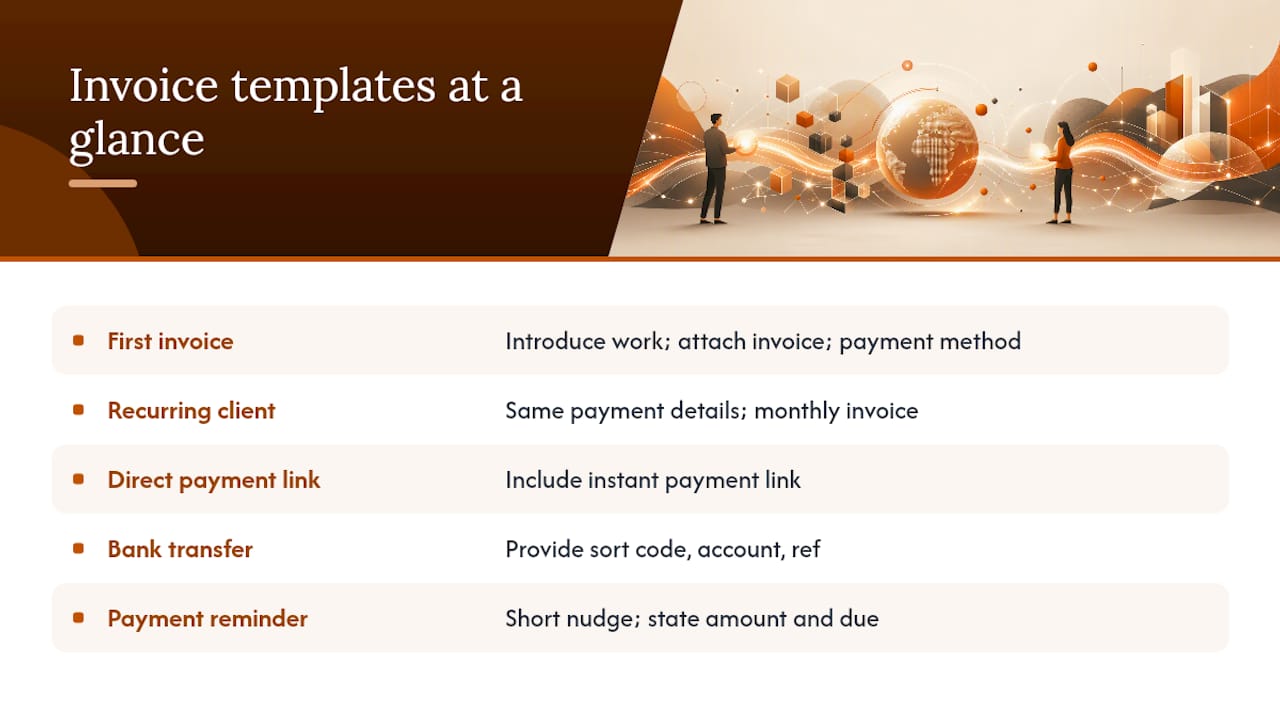
Five situations cover most of what freelancers and small trade businesses send. Adjust the bracketed details and you’re done.
1. First invoice to a new client
Subject: Invoice #[Number] from [Your Business], due [Date]
Hi [Name], thank you for the opportunity to work together. Please find attached invoice #[Number] for [Amount], covering [brief job description]. Payment is due by [Date] via [payment method/link]. Let me know if you have any questions.
2. Recurring or repeat client invoice
Subject: Invoice #[Number], due [Date]
Hi [Name], here’s this month’s invoice (#[Number]) for [Amount], due [Date]. Payment details are the same as last time. Thanks as always.
3. Invoice with a direct payment link
Subject: Invoice #[Number] from [Your Business], due [Date]
Hi [Name], attached is invoice #[Number] for [Amount], due [Date]. You can pay instantly using this link: [Payment Link]. Thanks for your prompt attention.
4. Bank transfer instructions
Subject: Invoice #[Number] from [Your Business], due [Date]
Hi [Name], please find invoice #[Number] attached for [Amount], due [Date]. Bank transfer details: [Sort Code / Account Number], reference [Number] so I can match your payment quickly. Thank you.
5. Friendly payment reminder
Subject: Reminder: Invoice #[Number] due [Date]
Hi [Name], just a quick nudge that invoice #[Number] for [Amount] is due on [Date]. Let me know if you need anything from me to process it.
Each one sticks to the essentials: who, how much, when, and how to pay. Nothing more.
When should you send a payment reminder?
Late payments rarely fix themselves, but a predictable reminder ladder keeps the tone professional while making it clear you’re tracking every invoice. A short escalation sequence, from a friendly nudge before the due date through to a firmer final notice, is standard practice among businesses that get paid consistently.
A workable schedule looks like this:
- 1 to 3 days before due date (optional): “Just a heads-up that invoice #[Number] is due on [Date].”
- Day after due date: “This is a friendly reminder that invoice #[Number] was due yesterday. Could you confirm when payment will be made?”
- 7 to 14 days overdue: “Invoice #[Number] is now [X] days overdue. Please arrange payment or let me know if there’s an issue.”
- 30+ days overdue: “Invoice #[Number] remains unpaid after 30 days. Please settle this as soon as possible to avoid late fees or a pause in further work.”
Only mention late fees or pausing work at the 30-day stage, and phrase it as a statement of policy rather than a threat. Earlier reminders should focus on confirming a payment date, not applying pressure.
Pro Tip: Ask a direct question in every reminder, such as “can you confirm the payment date?” A question forces a reply in a way that a flat statement doesn’t, and a reply is your first sign the invoice hasn’t been lost or forgotten.
Pre-send checklist for invoice emails
A few seconds of checking before you hit send prevents the kind of delay that turns a 14-day payment term into a six-week chase.
- Confirm you’re sending to the billing contact, not just your usual job contact, and CC accounts payable if the client has a separate team
- Name the file descriptively, such as Invoice-1042-DansPlumbing-March.pdf, since generic filenames get lost among other documents in a busy inbox
- Open the attachment yourself before sending to check it displays correctly
- Double-check the total, VAT if applicable, and any PO or reference number match what the client expects
- Test the payment link or button actually works
- Make sure the bank transfer reference matches the invoice number exactly, so incoming payments are easy to reconcile
Tradespeople often send invoices to whoever they dealt with on-site, rather than the person who actually processes payment. Confirming the right contact once, during onboarding, saves repeated delays on every job after.
Does automation actually reduce late payments?
Manual invoicing has a structural weakness: it depends on you remembering to chase every client, every time, on top of everything else your week involves. Automation removes that dependency. Sending the invoice the moment a job finishes, rather than that evening or the following week, closes the gap between work done and payment requested, and tools that automate reminders and instant sending have been shown to cut admin time and reduce late payments for tradespeople.
When evaluating any app for this, look for:
- Invoice creation that takes minutes, not an evening at the kitchen table
- Payment links that work reliably across banking apps
- A reminder cadence you can set once and forget
- A clear record of what was sent and when, in case a client disputes it
TradeSmith fits this brief for tradespeople specifically, with voice dictation that turns a five-minute site chat into a ready invoice.
Adjusting the tone for the client in front of you
Wording that suits a regular customer feels stiff sent to a big commercial client, and vice versa. Drop the formality for repeat clients you know well; keep it tight and businesslike for anyone with a procurement department. If you invoice the same client often, try two subject-line variants over a few months and see which gets paid faster. Then use the BLUF template above, right now, on whatever invoice is sitting unsent.
Send invoices the moment the job’s done
Chasing invoice wording is one more thing pulled from your evening, right after the actual job’s finished. TradeSmith lets you dictate job details on-site and turns them into a sent invoice before you’ve packed the van, with automated reminders chasing payment so you don’t have to.
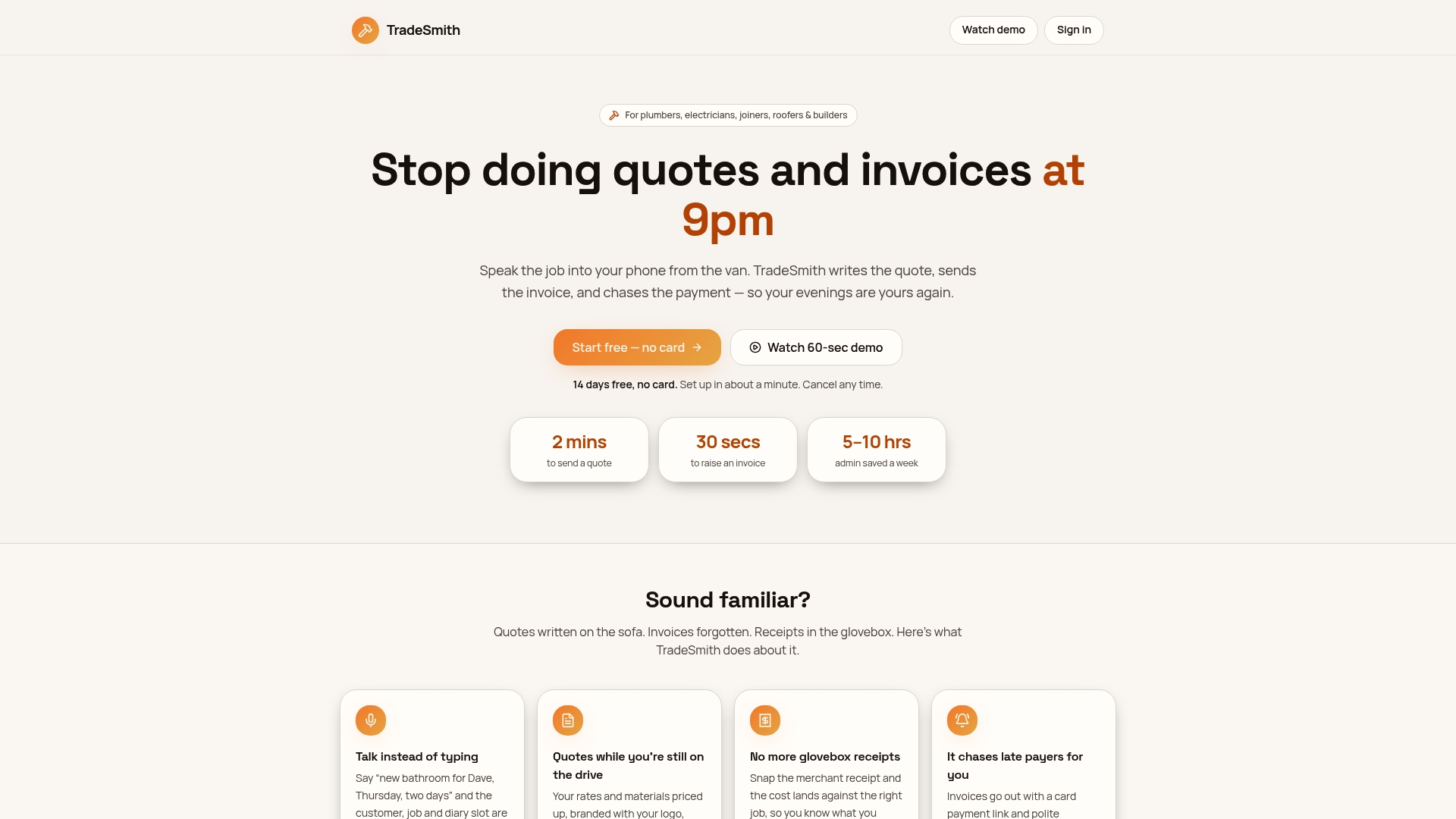
That means three practical shifts for how you work: you dictate the job details by voice instead of typing them up later, invoices go out immediately after completion rather than sitting in a notebook, and payment reminders fire automatically on the schedule you’d otherwise have to manage by hand. If unpaid invoices and evening admin are eating into time you’d rather spend anywhere else, try TradeSmith and send your next invoice from the job site.