Invoice payment link: get paid faster, every time

An invoice payment link is a clickable URL that takes a customer straight to a secure page where they pay you instantly, no bank transfer form or cheque required. The main win is speed: money lands in your account within days instead of weeks, and you stop chasing.
If you want quick options, there are three common routes:
- A hosted invoice page link generated by your invoicing software.
- A one-off payment link created through a payment gateway for a single job.
- A payment-request link embedded inside your invoice PDF so it’s clickable wherever the invoice goes.
For tradespeople juggling jobs, quotes and admin in one evening, TradeSmith builds the payment link into the invoice automatically, so there’s nothing extra to set up.
Key Takeaways
Invoice payment links speed up collections because they remove every manual step between finishing a job and getting paid.
| Point | Details |
|---|---|
| Definition | An invoice payment link is a clickable URL that takes customers straight to a secure page to pay instantly. |
| Hosted pages reduce setup | Providers like Stripe generate a unique hosted invoice URL with no extra code required. |
| Wallets boost completion | Enabling Apple Pay, Google Pay or saved payment methods speeds up checkout and improves conversion. |
| Test before sending | Always open the link on mobile and desktop and confirm the receipt before it reaches a customer. |
| TradeSmith builds it in | TradeSmith attaches payment links automatically to voice-dictated invoices, with a 14-day free trial to test the workflow. |
Table of Contents
- How does an invoice payment link work?
- What are the best ways to create an invoice payment link?
- Step-by-step: creating and sending your payment link
- What payment methods and fees should you expect?
- Best practices to get paid on time
- Pre-send checklist: five things to check first
- Why TradeSmith makes sense for tradespeople sending payment links
- Ready to stop chasing invoices manually?
- Frequently asked questions
- Sources
How does an invoice payment link work?
The mechanics are simple. Your customer clicks the link, lands on a hosted payment page, enters or autofills their details, and gets a confirmation with a receipt. No app download, no account creation on their end.
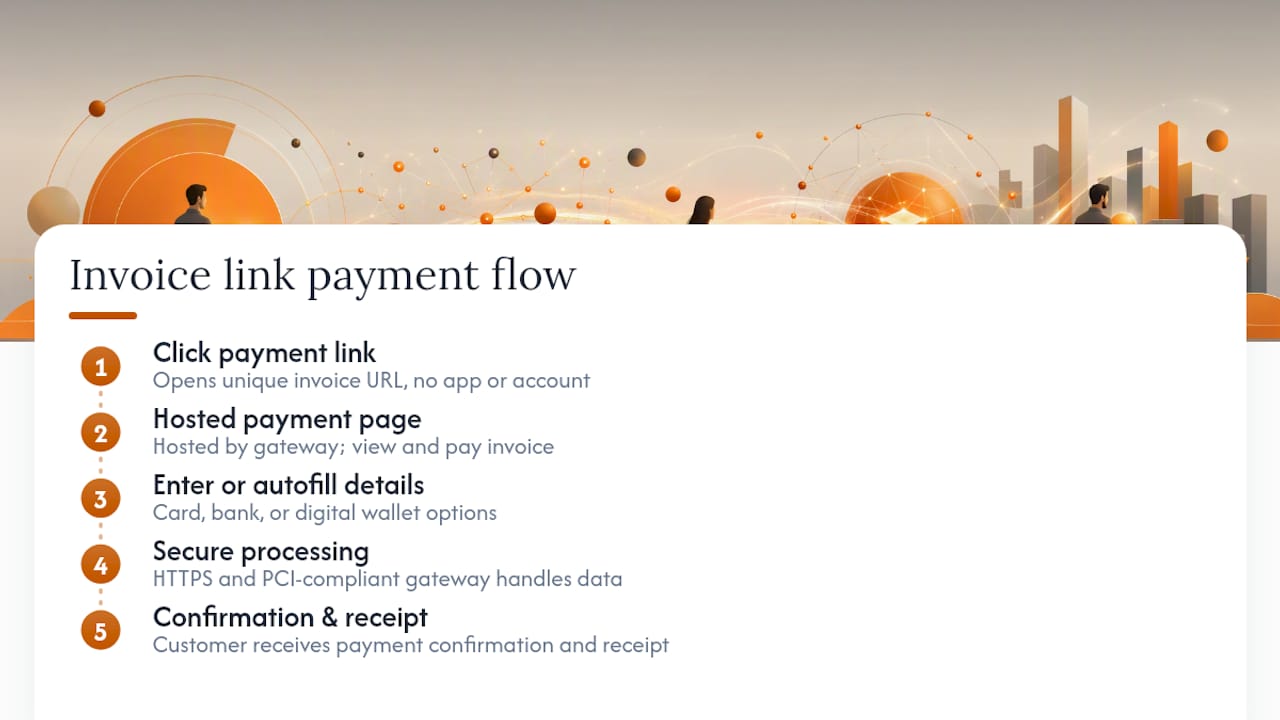
Most hosted pages accept card payments, Direct Debit, bank transfer where the provider supports it, and digital wallets like Apple Pay or Google Pay. Stripe’s Hosted Invoice Page is a good example: it assigns every invoice a unique URL that lets customers view, pay and download a receipt without you writing a line of code.
Security sits behind the scenes. Reputable hosted pages run on HTTPS with PCI-compliant gateways handling the card data, so you’re never storing sensitive payment details yourself.
Hosted invoice pages remove the implementation burden entirely. You copy a link and send it; the gateway does the heavy lifting on security and compliance.
What are the best ways to create an invoice payment link?
You’ve got several practical routes, and the right one depends on how much setup effort you’re willing to put in versus how polished you want the customer experience to be.
- Invoicing app with built-in payment links (like TradeSmith): fastest setup, branded invoice, payment link generated automatically when you send the job.
- Payment gateway link builders (Stripe, PayPal, GoCardless): flexible and powerful, but you’re often stitching the gateway to your invoicing separately.
- Payment-request buttons in email: quick for one-off jobs, though less professional than a proper hosted invoice.
- QR code generator pointing at a hosted link: handy for site-based trades, customers scan and pay on the spot.
- Custom link via invoice API: only worth it if you or someone on your team can code; overkill for most sole traders.
Whichever method you pick, check the provider’s fee structure and payment method availability before committing. Electronic invoice presentment and payment systems generally combine a buyer portal with instant payment and status tracking, which is worth having if you send invoices regularly. For most tradespeople, a hosted invoice page beats a manual link every time. It’s less fiddly and looks more professional.
Step-by-step: creating and sending your payment link
- Create the invoice record in your invoicing app or gateway account, with the job description, amount and due date.
- Enable payment methods in your settings, card, Direct Debit, digital wallets, whatever suits your customers.
- Generate the hosted link (in Stripe, this means copying the
hosted_invoice_urlfrom your invoice). - Turn on Link or saved payment methods if your platform supports it. Stripe’s Link feature lets returning customers autofill their details and pay faster.
- Send the link by email as standard, but also try SMS or WhatsApp for jobs where speed matters.
- Attach the link to your invoice PDF too, so it’s clickable no matter where the customer opens it.
- Test the link yourself before it goes anywhere near a customer. Open it, run a small test payment if possible, and confirm the receipt arrives.
- Check reconciliation. Confirm the payment shows as settled against the correct job in your records.
Pro Tip: Test every new payment link on both your phone and a laptop before sending it. Links that render fine on desktop sometimes break on mobile browsers, and mobile is where most customers will actually open your invoice.
What payment methods and fees should you expect?
Card payments remain the default, usually charged as a small percentage per transaction. Direct Debit tends to carry a lower, often flat fee, which suits recurring or larger invoices. Bank transfer options vary hugely by provider, some charge next to nothing, others build the cost into a subscription. Apple Pay and Google Pay generally sit on the same fee structure as card payments since they run through the same rails.
- Card: widely accepted, percentage-based fee, fastest customer experience.
- Direct Debit: lower typical cost, better suited to repeat clients or larger sums.
- Bank transfer: fee shape depends entirely on the provider, worth checking before you rely on it.
- Apple Pay / Google Pay: usually mirrors card fees, but speeds up checkout noticeably.
Security and fees aren’t separate conversations. A properly PCI-compliant, HTTPS-hosted page is what lets you offer card and wallet payments without taking on liability for handling that data yourself.
Keep every receipt and invoice record for VAT and tax purposes, link expiry and refund terms differ by provider, so check your gateway’s documentation rather than assuming.
Best practices to get paid on time
Small tweaks to how you send a link make a real difference to how quickly it gets paid.
- State the due date clearly, don’t bury it in small print.
- Show the amount and a short job description on the invoice itself.
- Enable a mobile wallet option if your gateway supports it.
- Add a QR code for on-site or in-person jobs.
- Send via SMS or WhatsApp when speed genuinely matters, not just email.
- Attach a PDF copy alongside the clickable link, some customers still print for their own records.
Pro Tip: Turning on Apple Pay or Google Pay isn’t just a convenience feature. Letting customers pay with a saved method instead of typing a card number in meaningfully increases completion rates, because it matches the checkout speed they’re used to from retail apps.
Automate your reminders where you can, and make sure paid or unpaid status is visible to the customer, ambiguity is what causes most late payments, not bad intentions.

Pre-send checklist: five things to check first
Before any payment link leaves your outbox, run through this:
- Invoice details and VAT are correct.
- The payment methods you want are actually enabled.
- You’ve tested the link and it loads properly.
- Expiry or payment terms are set, if your provider offers that option.
- A PDF copy and your contact details are attached.
Test on mobile and desktop both, a link that works on one and not the other will cost you a chase email you didn’t need to send.
Why TradeSmith makes sense for tradespeople sending payment links
Most invoicing tools treat payment links as a bolt-on feature. TradeSmith builds them into the core workflow, which matters when you’re standing in a van park trying to invoice before the next job starts.
- Voice-dictated invoicing: describe the job out loud, the invoice writes itself.
- Instant sending with payment links attached: no separate step to generate or copy a URL.
- Automated reminders: chasing happens without you lifting a finger.
- Payments reconcile into the job record automatically, similar to how gateway integrations sync with accounting systems to clear the manual matching step.
The result is less time on admin and faster cash in the bank. There’s a 14-day free trial if you want to see how it fits your own workflow before committing to anything.
A tradesperson’s view on payment links
I send the invoice from the van before I’ve even left the driveway, payment link included. Half my clients pay within the hour now. It’s cut my late payments down to almost nothing.
Ready to stop chasing invoices manually?
If you’re currently emailing a PDF and hoping someone remembers to pay it, you’re doing the hardest part of the job the slow way. TradeSmith is built specifically for tradespeople: describe the job by voice, send the invoice with a payment link attached before you’ve left site, and let automated reminders chase anyone who forgets.
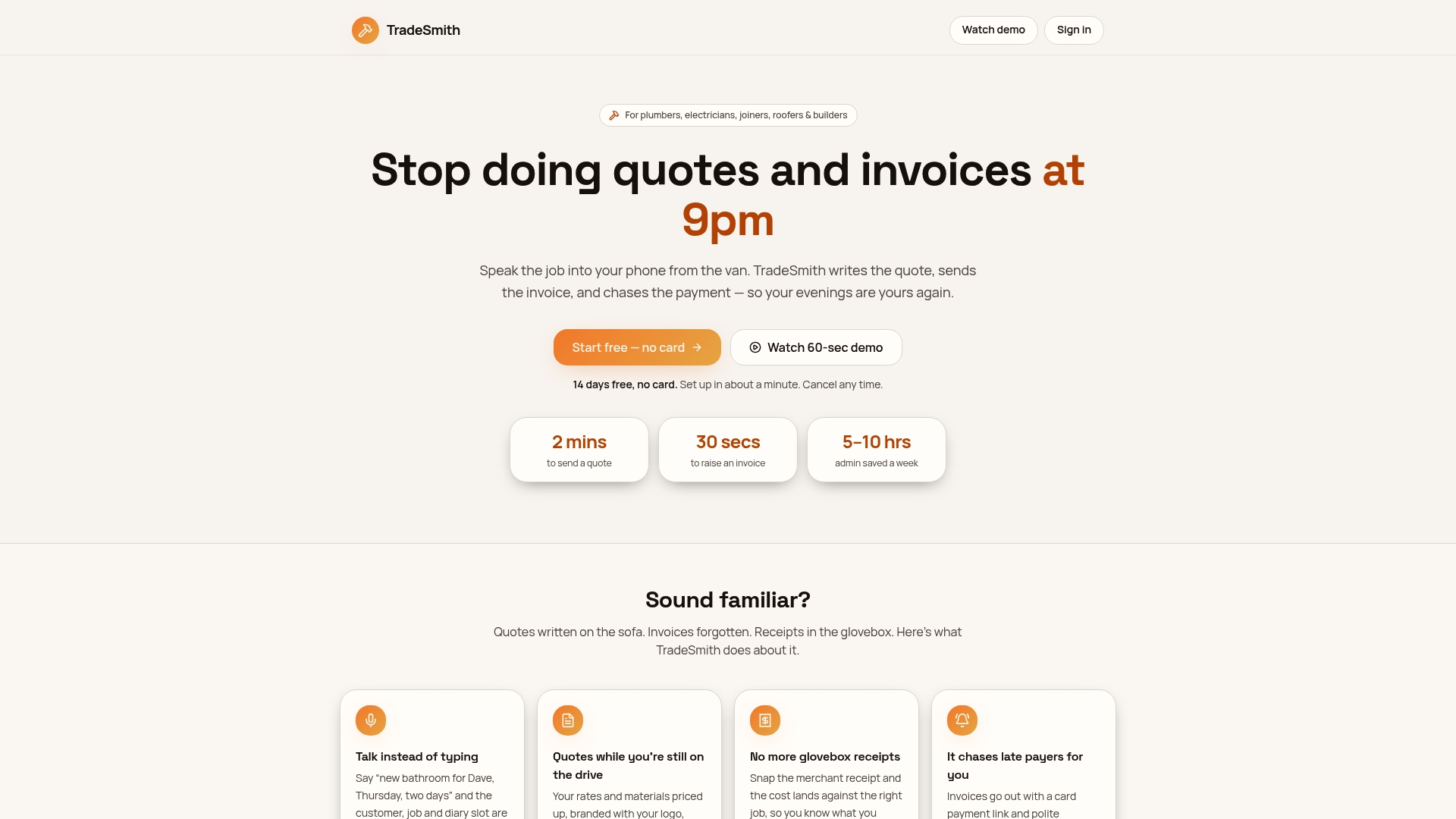
You get less admin and faster payments without learning new software or juggling a separate payment gateway account. It runs as a subscription after a 14-day free trial, so you can test the whole workflow, voice dictation, instant invoicing, built-in payment links, before paying anything. Start the trial and send your next invoice with a payment link attached from the job site itself.
Frequently asked questions
What is an invoice payment link? It’s a clickable URL attached to or sent alongside an invoice that lets a customer pay instantly through a secure hosted page, without needing to log into a separate account.
How do I send a payment link to a customer? Generate it through your invoicing app or payment gateway, then share it by email, SMS, WhatsApp, or embed it in the invoice PDF itself.
Do payment links expire? Sometimes. Expiry rules vary by provider, so check your gateway’s own documentation rather than assuming a link stays valid indefinitely.
What fees come with card payment links? Card payments typically carry a percentage-based fee per transaction, while Direct Debit and bank transfer options often cost less but vary by provider.
Is it safe to accept payments through a link? Yes, provided the page is hosted over HTTPS through a PCI-compliant gateway, which handles the sensitive card data so you never store it yourself.
Sources
- hosted-invoice-page
- Link with Invoicing
- Stripe + QuickBooks integration | Fivetran
- Electronic Invoice Presentment and Payment | Versapay
- Is Stripe safe in the UK? — Wise blog